Traduction en cours. Ce manuel est affiché en anglais en attendant sa version française.IP Router: 3. Filter Table / Security Proxy Table
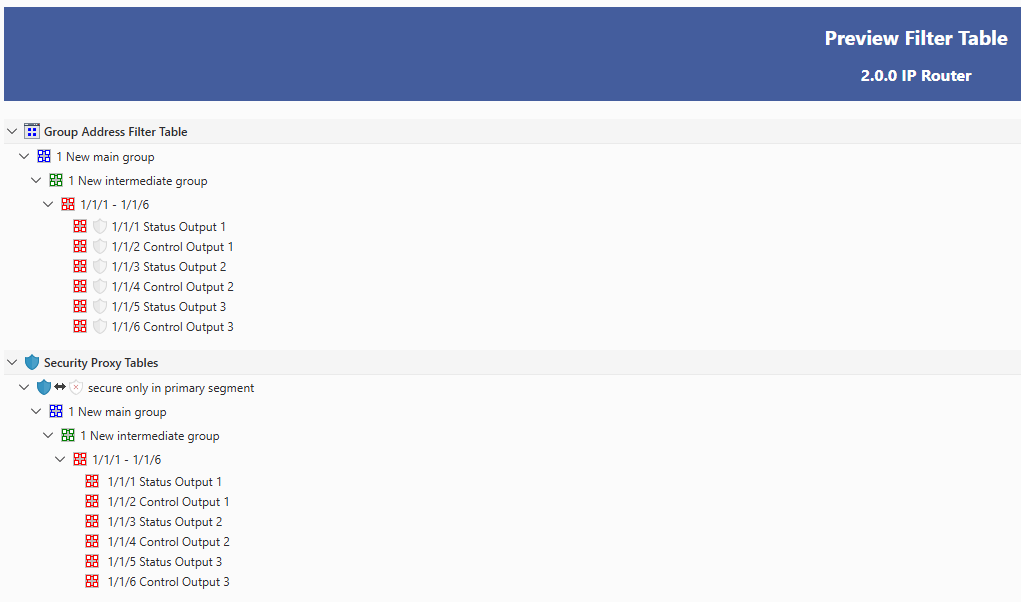
The filter table is created automatically in ETS. The group addresses of the telegrams that must be routed by the coupler are included in this table. The content of this table can be checked through the preview, which also shows the Security Proxy tables.
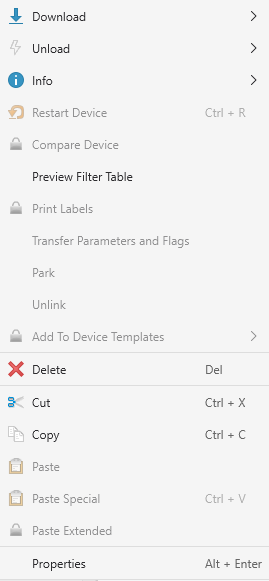
To open the preview, right-click on the IP Router and, in the drop-down menu, select “Filter Table Preview” (Figure 6). A window like the one in Figure 7 will be displayed, with the group addresses routed by the coupler, organised by main group and middle group.
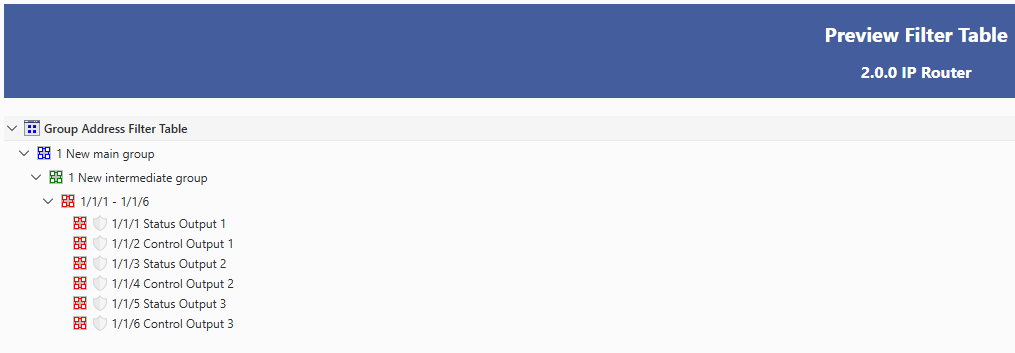
If the installation uses KNX Security, secure group addresses are identified in the preview by a filled shield icon, as shown in Figure 8.